
Operations Module for Search Dog Teams
When a search begins, alerting, map work, responders, weather, documentation and reports need to come together quickly. The RescueDogs operations module brings this work into one shared operation workspace.
App Download
Press & Downloads
Questions about the app?
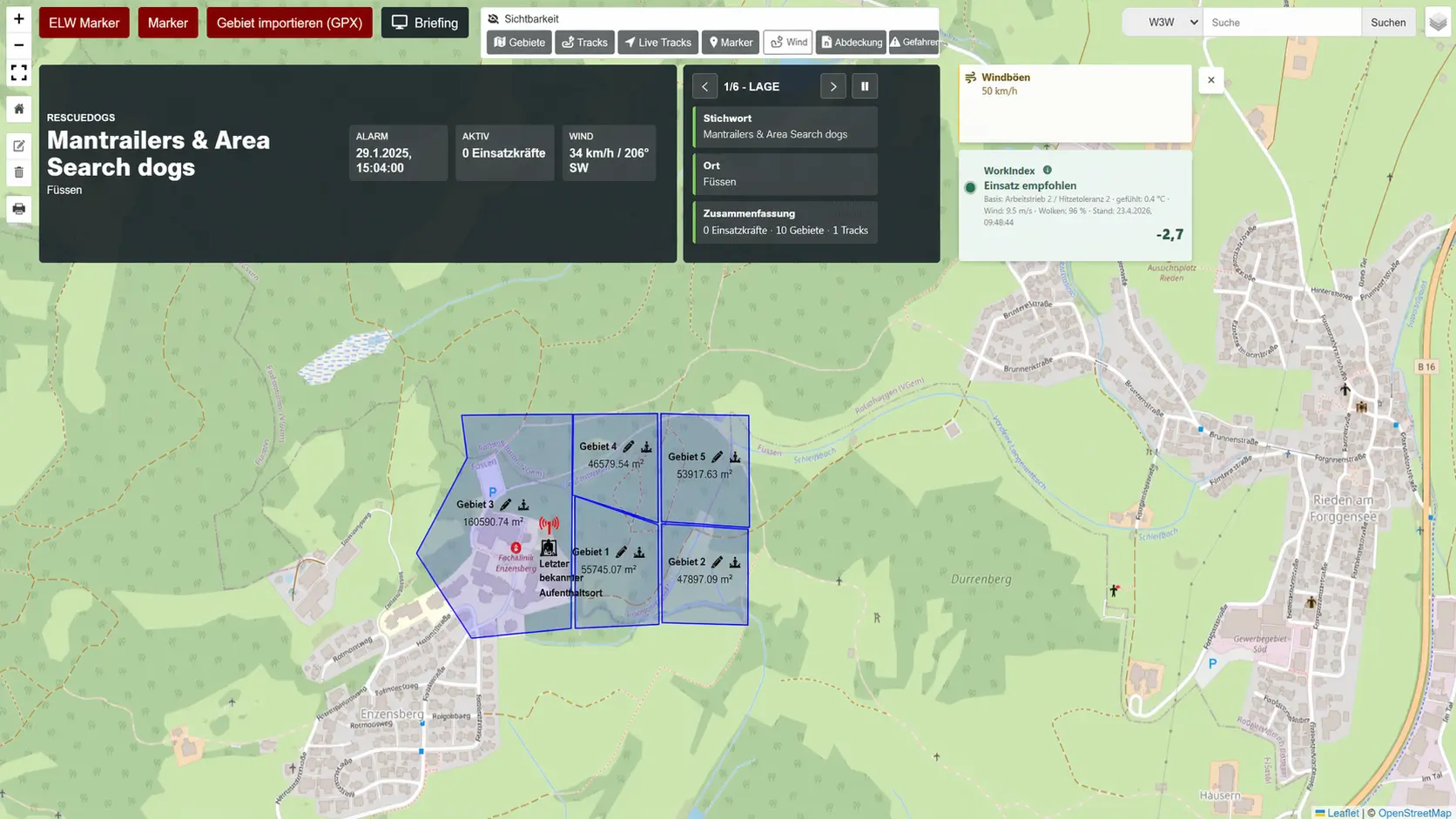
RescueDogs is built for search dog teams and organizations that want digital support for training, preparation and operation work. The operations module is the area where alerting, map work, feedback, operation documentation and evaluation come together.
The Problem During an Operation
At the start of a search, information often arrives through several channels: messenger chats, radio, paper notes, individual maps, verbal feedback and additional files. This can leave the incident command team spending valuable time transferring, checking or reconstructing information for later documentation.
- Alerts, feedback and follow-up alerts do not always arrive in one shared overview.
- Search areas, tracks, situation points and weather hints may be split across separate maps or files.
- Documentation happens under time pressure and often needs to be rebuilt from chat, paper and memory.
- Reports may require map views, communication, forms, profiles, weather and track analysis to be collected again afterwards.
How the RescueDogs Operations Module Helps
The operations module brings operation-focused work areas into one interface. It does not replace professional operational decisions, but it provides a shared digital working state for alerting, map work, responders, documentation and evaluation.
Alerting & Follow-Up Alerts
Operations can be created from scratch, or existing operations can be used for follow-up alerts. Individual members, alert groups, group filters, keyword, location, comment, special-rights information, direct approach, silent alert and non-critical alert can be included in the alert flow.
Live Operation Map
The map can show live tracks from active responders, additional GPX tracks, search areas, command or situation points, markers, layer visibility and What3Words, location, coordinate and object search.
Documentation
Operation documentation, quick documentation, text modules, chat, image messages, forms, required fields, responses and snippets for coordinates, active responders, areas and markers support live documentation.
Situational Assistant
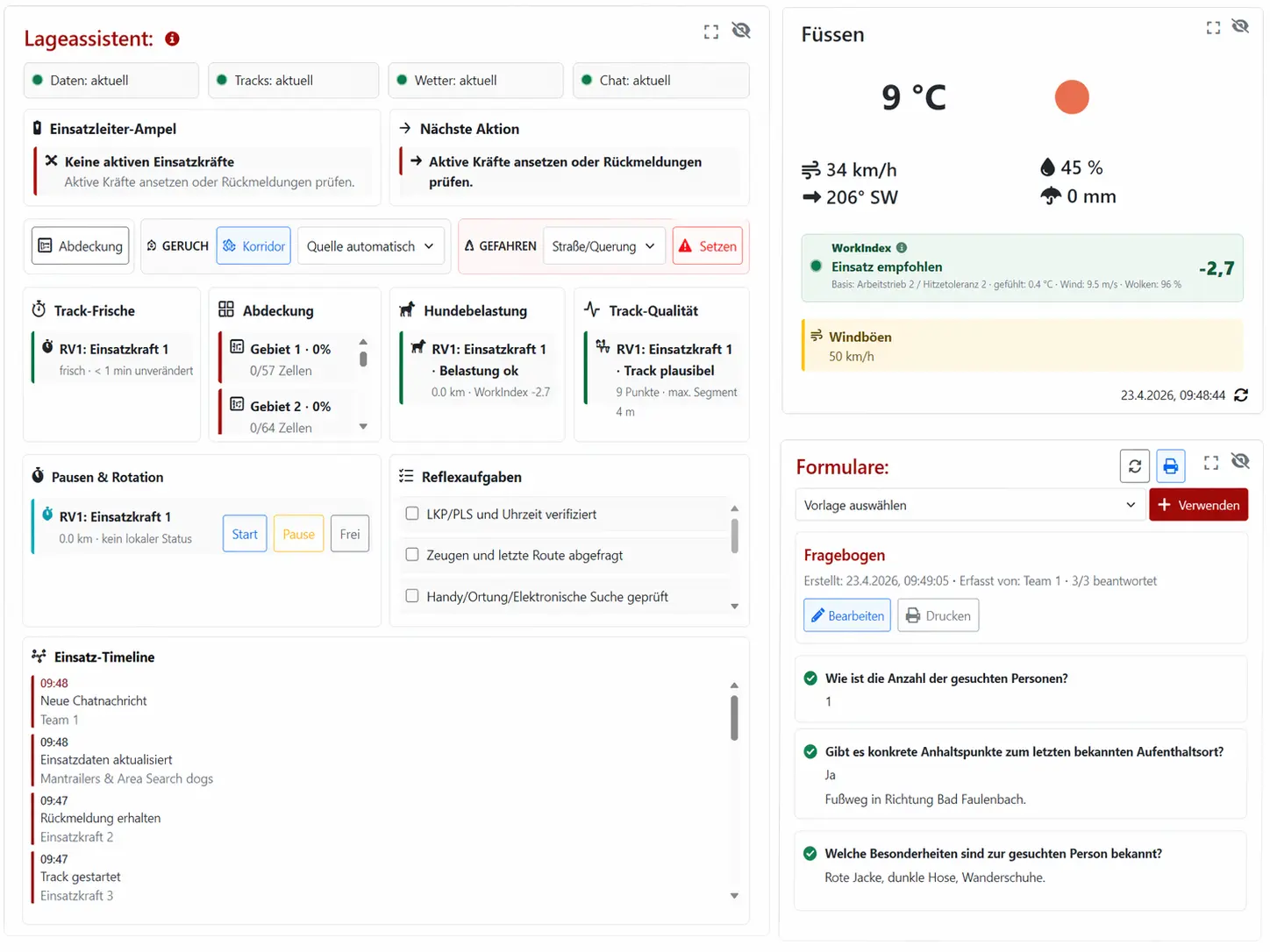
The assistant bundles hints for weather, wind, WorkIndex, scent corridor, hazard markers, coverage analysis, track freshness, track quality, dog workload, breaks, rotation, reflex checklist and timeline.
Alert, Coordinate, Document
In practice, work often begins with a new operation or a follow-up alert. The incident command team selects responders individually or through groups, adds keyword, location and comment, and then reviews delivery or push results as well as feedback. This keeps visible who has been alerted, which responses have arrived and which responders are active in the operation.
At the same time, the operation map can be updated continuously: draw or import search areas, calculate area sizes, name and color areas, place markers, add command or situation points, follow active tracks and upload additional GPX data. The dashboard can be adapted with movable, hideable and scalable tiles; saved layouts, pop-out windows, briefing mode and presentation or anonymization mode support different operation setups.
Map and Situation Picture
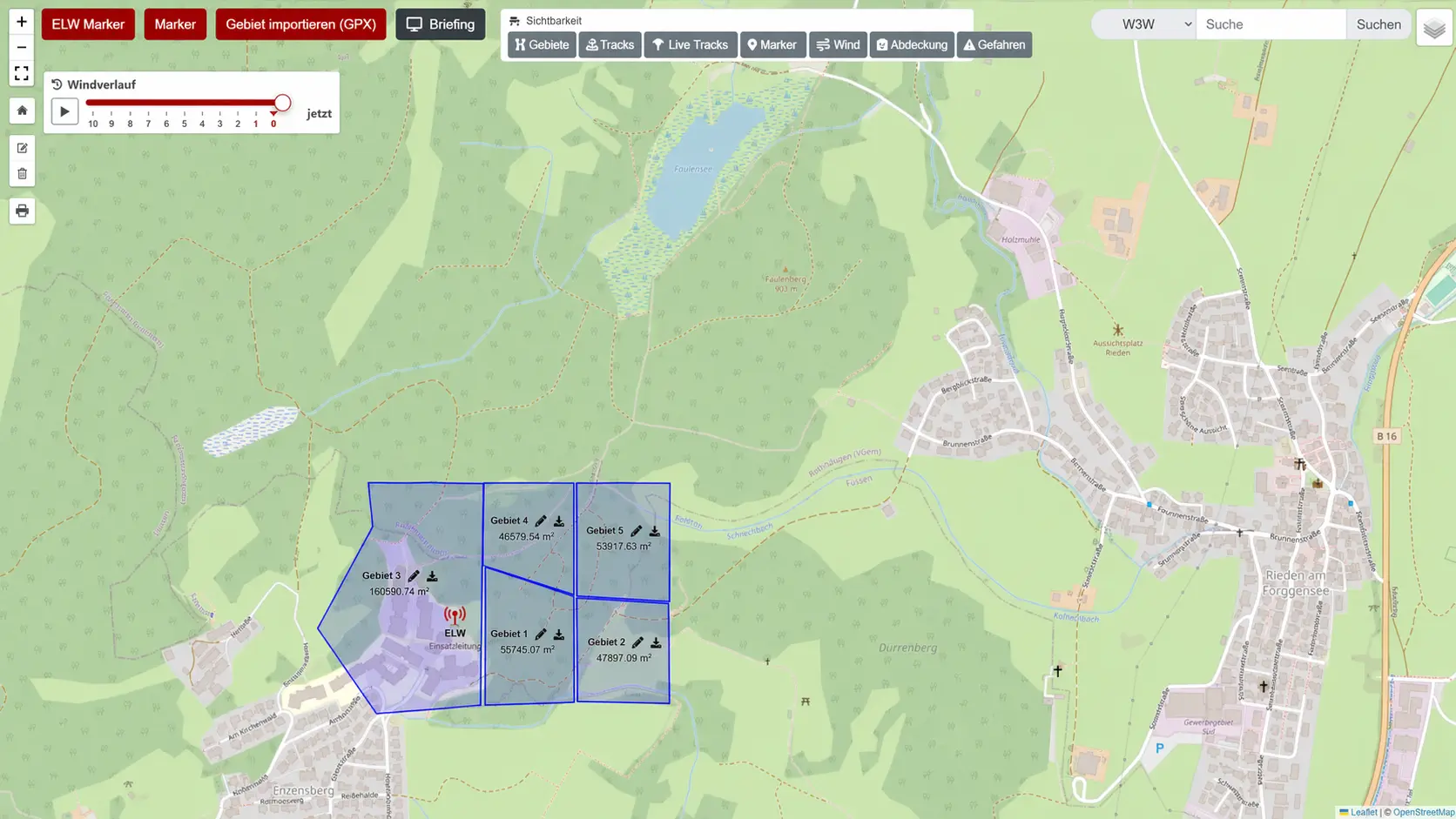
The operation map is the shared spatial reference. Search areas can be drawn or imported as GPX, named, colored and shown with calculated area size. Tracks can be uploaded, imported, renamed, colored, hidden, exported and printed. Live tracks from active responders and additional track data can be viewed side by side without separating map work from documentation.
For the situation picture, teams can use command or situation points, markers, hazard markers, layer visibility, weather and wind data and a scent corridor. Weather data from OpenWeather and Open-Meteo, wind history and weather hints are treated as operation-related hints. The situational assistant summarizes such hints, but it does not verify the situation and does not replace command decisions.
Evaluation and Reports
During or after an operation, several reports can be created and printed: operation overview, operation documentation, communication, map with tiles, plain map, feedback, active responders, track analysis, profile, weather report, areas and markers, forms as well as individual areas and individual tracks. This helps bring information from map, chat, feedback and forms into traceable reports.
The operation context can also include a missing-person profile with image, name, gender, age, height, hair color, eye color and further details. Form templates can be used per operation; required fields, responses and print reports help capture structured information.
Connectable for Organizations and Control Centers
The Alert Manager supports alert groups, group codes and API tokens. This allows organizations to prepare external calls from control center or third-party systems, where the technical and organizational integration is suitable. Follow-up alerts can be attached to the same operation through an existing operation ID.
API calls can use parameters such as token, group, stichwort, ort, kommentar, sonderrechte, direktanfahrt and einsatzid. The concrete setup should be organizationally agreed and tested before operational use.
FAQ and Further Reading
You can find more answers in the FAQ section on this page or in the related RescueDogs and IT-Bruderhofer pages.
FAQ
Who is the RescueDogs operations module for?
It is for search dog teams, rescue dog units and organizations that want to digitally alert, coordinate and document operations.
Can I alert new operations with the module?
Yes. Operations can be created from scratch, or existing operations can be used for follow-up alerts. Responders can be alerted individually or via groups.
What does the operation map show?
It can show live tracks, additional GPX tracks, search areas, command or situation points, markers, weather and wind information and, depending on the view, further operation-related layers.
Can the module help with documentation?
Yes. It includes operation documentation, quick documentation, text modules, chat, forms and several printable reports.
Is there an interface for control centers or third-party systems?
Yes. API tokens and alert groups can be managed in the Alert Manager so external systems can trigger alerts.
Does the situational assistant replace operational decisions?
No. The situational assistant provides hints such as track freshness, coverage, weather, proximity to hazards or next actions. It is a decision aid, not a verified situation assessment.
One Shared Situation Picture
If your team wants to bring alerting, operation map and documentation closer together, the operations module is the part of RescueDogs that turns separate pieces of information into one shared situation picture.